
myMTE26.4.0.15398 - Google Play
You'll be able to see results in few seconds.
Publisher Description


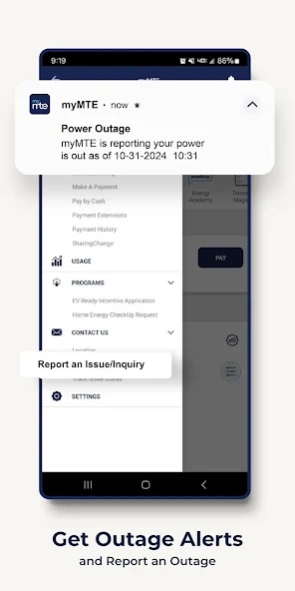

Member Service at Your Fingertips.
Put the power of the myMTE mobile app to work for you. Designed to simplify your member experience, our app allows you to quickly pay your bill, manage your energy usage, report an outage and more.
Features include:
ACCOUNT OVERVIEW
Take a comprehensive look at your account and usage with the tap of a button. Go green and access all the information you need from one central location without all the paperwork.
BILL PAY
Pay your bill on the go or take advantage of our autopay option. The Bill Pay feature lets you control when and how you pay your bill. Choose the payment method that best fits your lifestyle and view your billing history.
ENERGY CONSUMPTION
View your daily energy consumption to monitor changes and quickly identify usage peaks to better manage your bills. Use the cost option to view exactly how many dollars you use every month in our intuitive graphical display to track changes month-over-month. It’s a great way to learn how to change your habits and save money.
OUTAGE REPORTING
With a few quick taps, your outage is reported to our 24/7 Control Center. Our upgraded outage map provides you with more information than ever before, like when a crew has been assigned to your area and the cause of your service issue. Don’t forget to sign up for text alerts in the app for even faster notifications regarding your outage.
CONTACT MEMBER SUPPORT
Get in touch with MTE from the convenience of your mobile device. With several ways to contact us — by email, by phone or by messaging us through the app — talking to a member support specialist has never been easier. If you prefer to speak with someone in person, our GPS map directs you to the service center closest to your location.
About myMTE
The company that develops myMTE is National Information Solutions Cooperative. The latest version released by its developer is 26.4.0.15398.
To install myMTE on your Android device, just click the green Continue To App button above to start the installation process. The app is listed on our website since 2026-09-21 and was downloaded 0 times. We have already checked if the download link is safe, however for your own protection we recommend that you scan the downloaded app with your antivirus. Your antivirus may detect the myMTE as malware if the download link to coop.nisc.android.mymtemc is broken.
How to install myMTE on your Android device:
- Click on the Continue To App button on our website. This will redirect you to Google Play.
- Once the myMTE is shown in the Google Play listing of your Android device, you can start its download and installation. Tap on the Install button located below the search bar and to the right of the app icon.
- A pop-up window with the permissions required by myMTE will be shown. Click on Accept to continue the process.
- myMTE will be downloaded onto your device, displaying a progress. Once the download completes, the installation will start and you'll get a notification after the installation is finished.
Program Details
System requirements
Download information
Pricing
Version History
version 26.4.0.15398
posted on 2026-09-21
Made changes to keep code base current with the latest software, to maintain good coding standards, to eliminate potential bugs, and to prepare for future projects.
version 23.3.1.11423
posted on 2023-08-28
Minor Bug Fixes
Disclaimer
Official Google Play Link
We do not host the myMTE app on our servers. We did not scan it for viruses, adware, spyware or other type of malware. This app is hosted by Google and passed their terms and conditions to be listed there. We recommend caution when installing it.
The Google Play link for myMTE is provided to you by apps112.com without any warranties, representations or guarantees of any kind, so access it at your own risk.
If you have questions regarding this particular app contact the app developer directly. For questions about the functionalities of the apps112.com website, contact us.
